Preserve the fault information
A red light, beep sequence, app notice, or supply shutdown can distinguish robot, battery, cable, or power-supply trouble. Photograph the indicator and write down elapsed runtime. Repeated unplugging may erase useful information without correcting the cause.
Clean the filter first
A heavily loaded filter restricts water movement and can reduce suction or trigger protective behavior. Rinse all panels or the basket, check for torn media and blocked outlet screens, and reinstall every piece fully before testing another cycle.
Inspect the impeller and drive
Disconnect power and follow the manual before removing any guard. Look for hair, leaves, string, or pebbles. Check brushes and tracks for free, even movement only as instructed. Do not use a power tool where hand tools are specified.
Check operating conditions
Launch at the required depth and within the specified water-temperature and chemistry range. Slippery walls, very cold water, air trapped in the housing, or an unlatched filter cover can create behavior that resembles a motor fault.
Escalate recurring shutdowns
Stop using a cleaner that overheats, leaks into a sealed compartment, trips protection, smells burned, or has a swollen battery enclosure. Verify recall status and warranty, then contact the manufacturer or an authorized repair center with the serial number and fault record.
Use the robotic pool cleaner decision framework to compare the broader category, or narrow the catalog through Robotic Pool Cleaners for In-Ground Pools.
Exact products to compare
As an Amazon Associate, we may earn from qualifying purchases.

Dolphin Nautilus CC Automatic Robotic Pool Cleaner
Best for: Owners who want a compact established corded cleaner
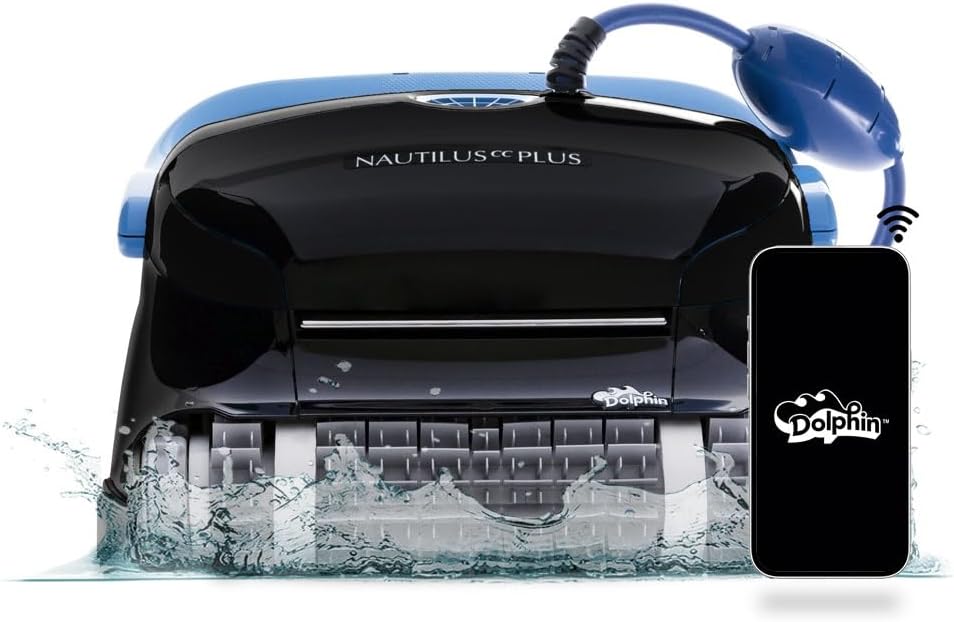
Dolphin Nautilus CC Plus Robotic Pool Cleaner
Best for: Buyers comparing a widely searched midrange Dolphin

Dolphin Nautilus CC Supreme Wi-Fi Robotic Pool Cleaner
Best for: Large pools needing broader cleaning-zone coverage
Frequently asked questions
Why does it stop after a few seconds?
Common checks include charge or power, launch depth, filter seating, impeller blockage, and drive obstruction. The indicator code and manual should determine the next step.
Can a dirty filter make the robot stop?
Yes, restricted flow can degrade performance and may contribute to protective shutdowns on some models. Clean and reseat the filter before retesting.
Should I keep resetting a red light?
No. Perform the documented checks once. If the code returns, repeated resets can hide a developing fault; contact support with the model, serial number, and indicator details.
Final decision
Match the answer above to the exact model manual, pool measurements and maintenance routine. Amazon listings can change by seller, bundle and generation, so verify the product name and ASIN before relying on a feature.