Learn which component connects
Some phones communicate with the robot before submersion, while other systems connect through a power supply, dock, or gateway that remains above water. Identify the correct device and indicator. Trying to pair directly with a submerged unit may be impossible by design.
Prepare the phone and network
Enable the required Bluetooth, local-network, and location permissions only as described, and temporarily disable a VPN if support recommends it. Many devices begin setup on 2.4 GHz Wi-Fi. Check the exact requirement rather than renaming or rebuilding the home network immediately.
Clear stale ownership carefully
A used, returned, or shared robot may still belong to another account. Use the manufacturer’s transfer or removal process. Avoid repeated factory resets until saved schedules, maps, and ownership implications are understood, because a reset may erase useful diagnostic information.
Update in a controlled order
Check phone operating-system compatibility, app version, and any available official firmware instruction. Keep the cleaner sufficiently charged and do not interrupt an active update. Download software only from the recognized app store or manufacturer source, not an unofficial file or support message.
Keep cleaning and account security separate
If physical controls work, the pool can often be cleaned while app support investigates. Do not share passwords, verification codes, or remote phone access with an unknown helper. Escalate persistent device-not-found errors with model, app version, phone type, and indicator details.
Use the robotic pool cleaner decision framework to compare the broader category, or narrow the catalog through Robotic Pool Cleaners for In-Ground Pools.
Exact products to compare
As an Amazon Associate, we may earn from qualifying purchases.

Dolphin Nautilus CC Automatic Robotic Pool Cleaner
Best for: Owners who want a compact established corded cleaner
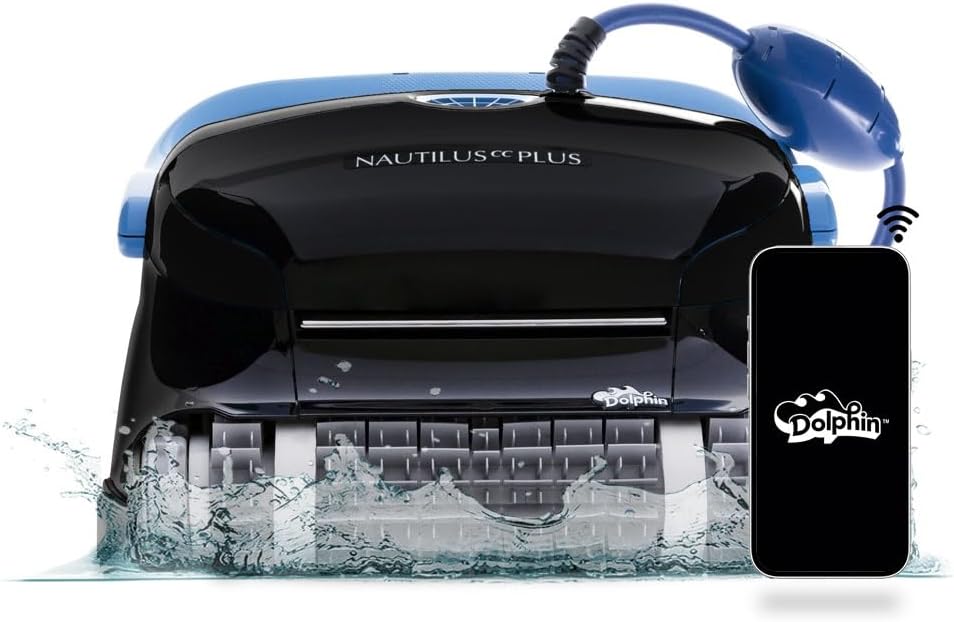
Dolphin Nautilus CC Plus Robotic Pool Cleaner
Best for: Buyers comparing a widely searched midrange Dolphin

Dolphin Nautilus CC Supreme Wi-Fi Robotic Pool Cleaner
Best for: Large pools needing broader cleaning-zone coverage
Frequently asked questions
Why does the app disconnect when the robot enters water?
Water blocks common wireless signals. The model may permit settings only at the surface or through an above-water controller.
Should I use 2.4 GHz or 5 GHz Wi-Fi?
Use the band specified for the exact product. Many equipment devices require 2.4 GHz during initial pairing.
Can two phones control one cleaner?
Account sharing and household access vary. Add users through the documented method rather than signing everyone into the owner account.
Final decision
Match the answer above to the exact model manual, pool measurements and maintenance routine. Amazon listings can change by seller, bundle and generation, so verify the product name and ASIN before relying on a feature.