Unbox and inspect
Check the housing, handle, brushes, tracks, filter, cable, connectors, charger, and power supply for transit damage. Verify that packaging and protective films are removed. Record the model and serial number, retain proof of purchase, and complete registration if warranty terms request it.
Prepare the pool
Remove cords, thermometers, toys, and other objects that could enter the intake or drive system. Secure ladders or obstacles as directed. Do not launch into visibly unsafe water, immediately after chemical treatment, or outside the manual's chemistry and temperature limits.
Prepare power or battery
Use only the supplied or manufacturer-approved electrical equipment. A corded unit's power supply must remain dry and at the stated distance and height. A cordless unit should be fully charged for first use unless its manual gives different conditioning instructions.
Load the filter and select a mode
Seat the basket, cartridges, panels, and access cover fully. Choose a filter appropriate to expected debris if options are available. Select floor, wall, waterline, or full-pool mode before submersion when underwater wireless communication is not supported.
Launch and observe
Lower the cleaner using its handle, never its cable. Let it settle and watch the first several minutes from outside the pool. Confirm water flow and movement. If it behaves abnormally, stop it safely and recheck assembly rather than repeatedly restarting it.
Use the robotic pool cleaner decision framework to compare the broader category, or narrow the catalog through Robotic Pool Cleaners for In-Ground Pools.
Exact products to compare
As an Amazon Associate, we may earn from qualifying purchases.

Dolphin Nautilus CC Automatic Robotic Pool Cleaner
Best for: Owners who want a compact established corded cleaner
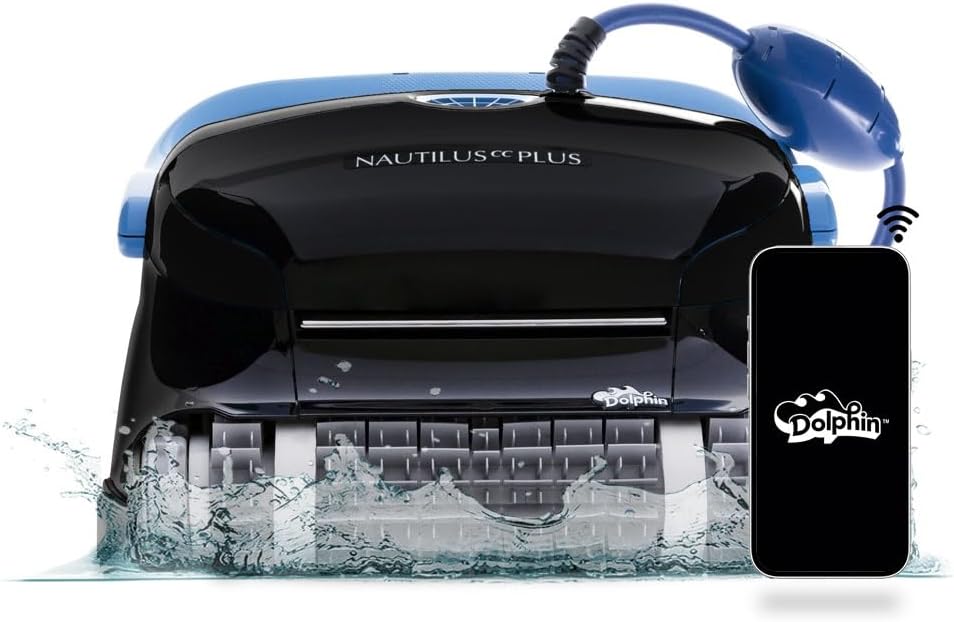
Dolphin Nautilus CC Plus Robotic Pool Cleaner
Best for: Buyers comparing a widely searched midrange Dolphin

Dolphin Nautilus CC Supreme Wi-Fi Robotic Pool Cleaner
Best for: Large pools needing broader cleaning-zone coverage
Frequently asked questions
Should the pool pump be on during setup?
A true robotic cleaner normally operates independently. Keep the pool's circulation schedule as required for water quality, and follow any model-specific instructions regarding returns, fountains, or other equipment.
Why will the app not connect underwater?
Radio communication is limited underwater. Some robots accept settings only before a cycle, while others use a separate communication system. Loss of Wi-Fi or Bluetooth after submersion can be normal.
Where should I start the cleaner?
Use the manual's recommended location. If later cycles consistently miss an area, beginning in that area can sometimes improve coverage, provided the location meets minimum depth and launch requirements.
Final decision
Match the answer above to the exact model manual, pool measurements and maintenance routine. Amazon listings can change by seller, bundle and generation, so verify the product name and ASIN before relying on a feature.